单步,也能回退Step forward, and back
走过头了就退回去。每一步改了哪个寄存器、哪块内存都会标出来,不用再靠猜。Went one step too far? Go back. Every step marks the registers and memory it changed, so there is nothing to guess.
MIPS · MARS 4.5 · 浏览器运行runs in your browser
在线 MIPS 汇编模拟器与教学 IDE,基于 MARS 4.5。汇编、单步、回退,看清指令如何改变寄存器和内存。直接在浏览器运行,不用安装 Java,不用注册。 An online MIPS assembler, simulator and teaching IDE built on MARS 4.5. Run assembly code, step and rewind, and see how instructions change registers and memory. No Java installation or sign-up.
免费 · 开源 · 程序和文件只存在你的浏览器里Free · open source · your programs stay in your browser
li $t0 , 5 li $t1 , 7 addu $t2 , $t0 , $t1 sw $t2 , 0 ($sp )[7fffeffc] ← 12bgtz $t2 , done跳转taken → done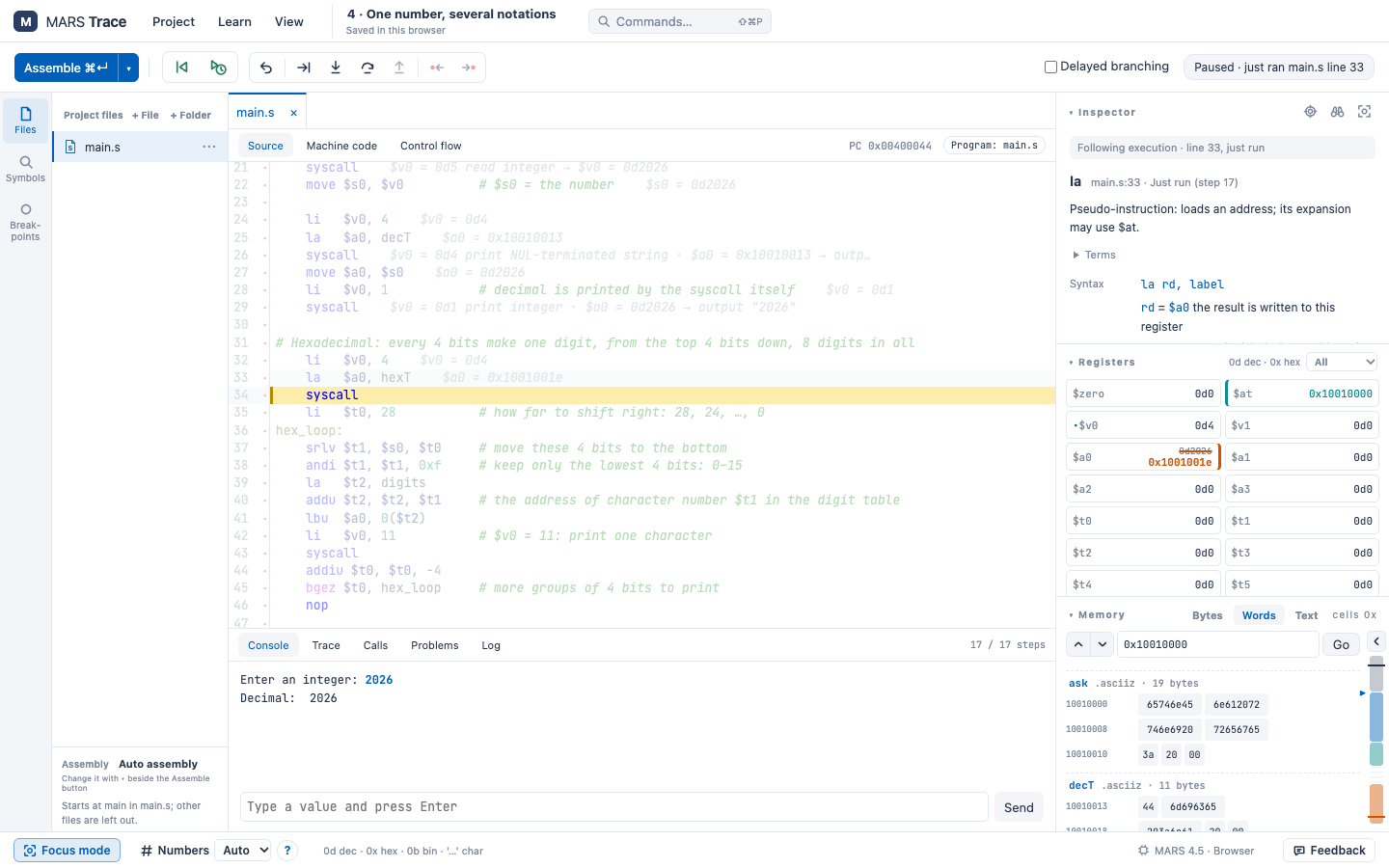
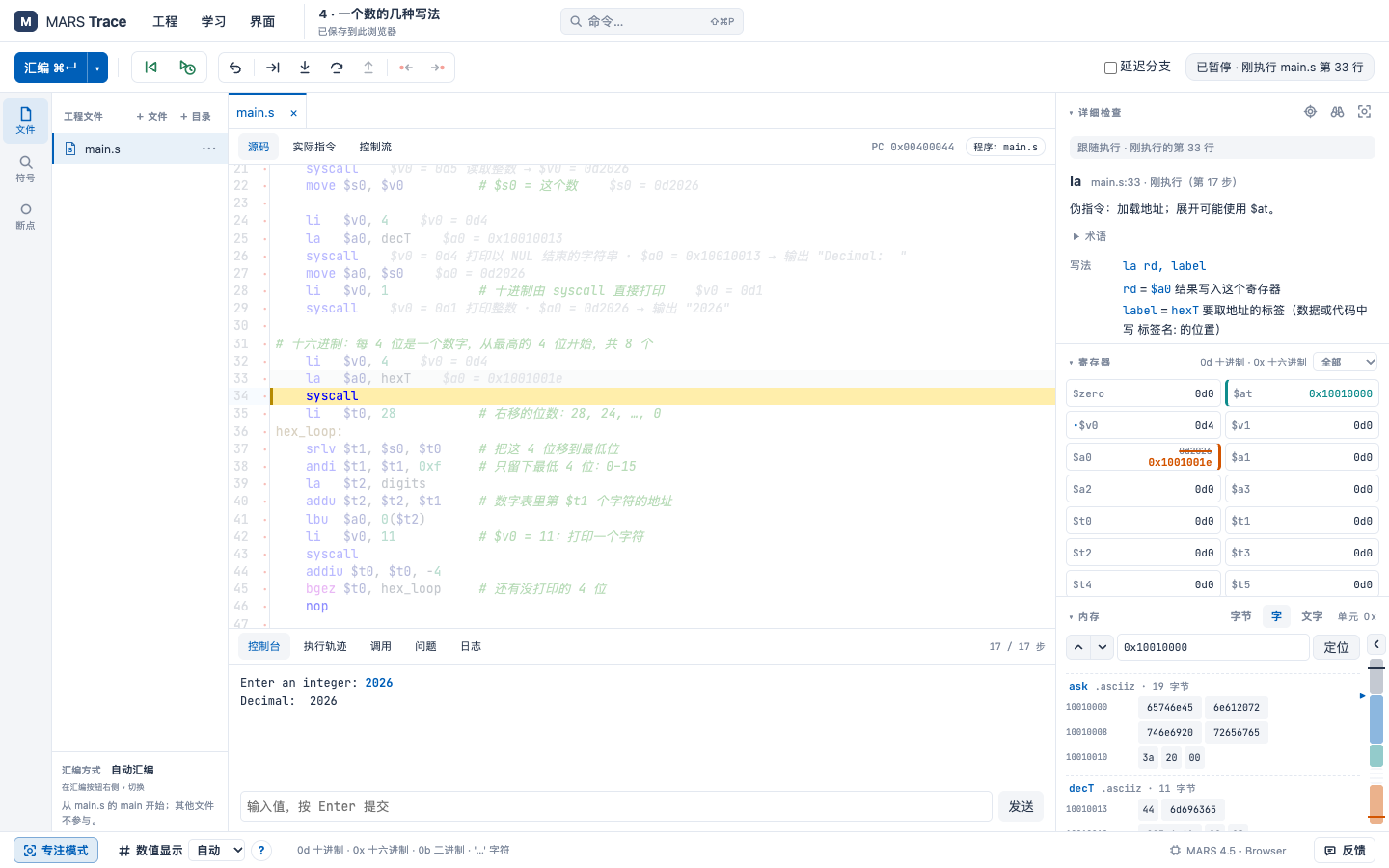
走过头了就退回去。每一步改了哪个寄存器、哪块内存都会标出来,不用再靠猜。Went one step too far? Go back. Every step marks the registers and memory it changed, so there is nothing to guess.
代码、数据、堆和栈画在一张图上:每个栈帧保存了哪些寄存器、$sp 和 $fp 在哪,点一下就跳过去。Code, data, heap and stack on one map: each stack frame with its saved registers, where $sp and $fp point, one click to jump there.
只看眼前这一步:刚才做了什么,接下来可能走哪条路。分支和循环一下子清楚了。Just the step in front of you: what it did, and where the program may go next. Branches and loops stop being a mystery.
语法错误直接标在代码旁边,并说明原因和改法。悬停任何指令或寄存器都能看到解释。Mistakes are marked right next to the code, with why and how to fix them. Hover any instruction or register for an explanation.
还有:中英双语界面 · 内置示例程序 · 文件读写 syscall · 断点与观察 · 工程导入导出Also: English and Chinese interface · built-in examples · file I/O syscalls · breakpoints and watches · project import and export
打开 IDE,从 Hello World 示例开始,或导入自己的汇编文件。点击汇编和运行,即可在浏览器查看输出。Open the IDE, start with Hello World or import your own assembly file. Assemble and run it to see the output in your browser. 打开 Hello World 示例 →Open Hello World →
逐条执行指令,观察寄存器和内存的变化;用断点、回退和专注模式跟踪循环与分支。内存地图还可以帮助理解栈、堆和数据段。Step through instructions and watch registers and memory change. Use breakpoints, rewind and focus mode to follow loops and branches; explore the stack, heap and data on the memory map.
可以。它使用 MARS 4.5 的汇编器和模拟器,支持导入已有工程、文件读写及导出。教师可以分享链接,让学生直接开始练习。Yes. It uses the MARS 4.5 assembler and simulator and supports project import, file I/O and export. Teachers can share a link for students to start practicing.